Module 4 Book: Designing PowerPoint Presentations for All
Repetition
"Repeat visual elements of the design throughout the piece. You can repeat colour, shape, texture, spatial relationships, line thicknesses, sizes, etc.”
(Williams, 1994, p. 14)
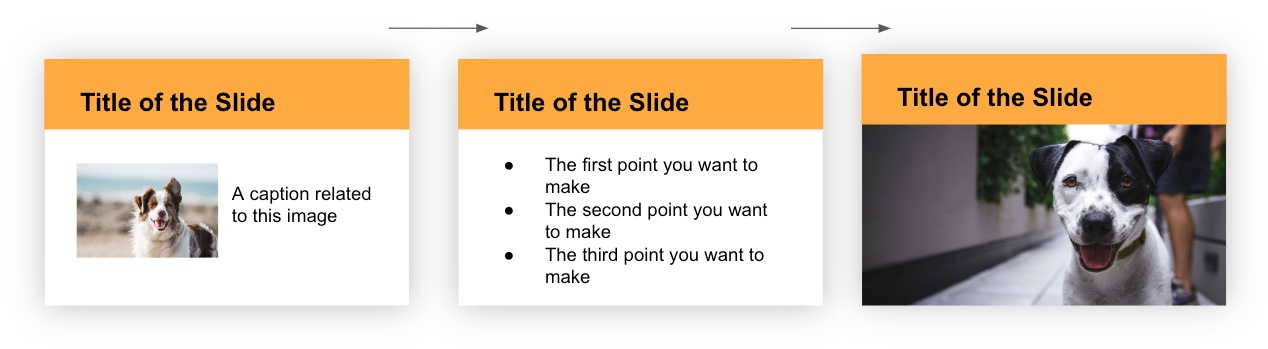
To reinforce an idea in your presentation, and create a sense of continuity, you may need to repeat certain design elements (font, shapes, colours, etc.). By doing so, it creates a cohesive look and feel that implies all the slides belong together. In the following example, the font, colour, and heading style is consistently applied across the slides which makes them feel like they belong together.
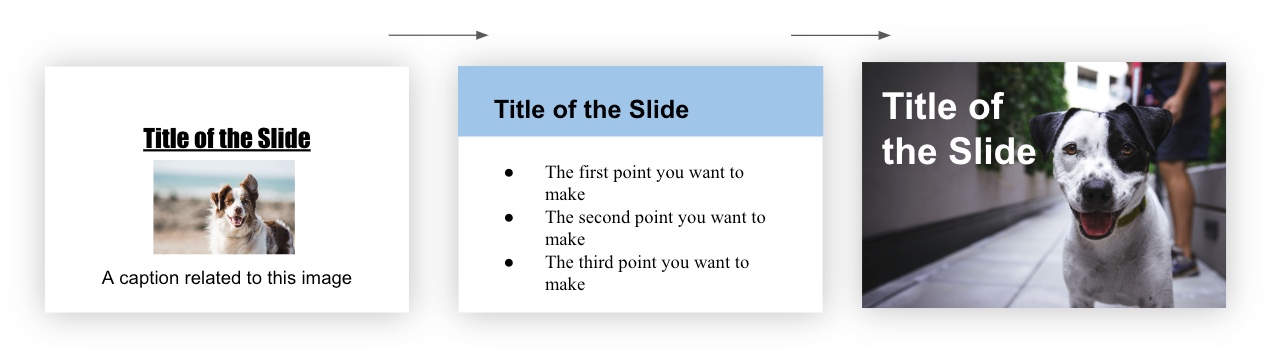
In contrast, when design elements vary drastically from slide to slide, it creates a confusing and disjointed experience. In the following example, the font, colour, and heading style is inconsistently applied across the slides which makes them feel like they don’t belong together. Do you see and feel the difference?
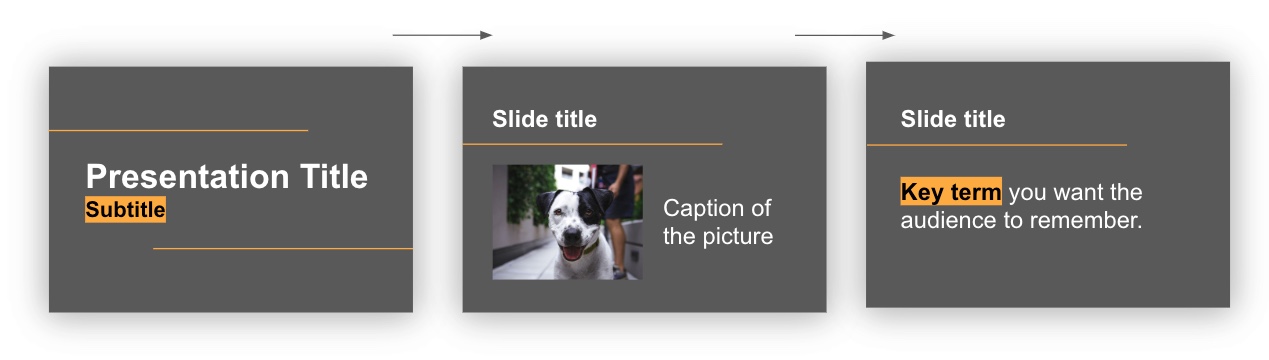
Another way to think about repetition is consistency. In order to create a consistent and unified presentation, slide elements need to be strategically designed and repeated across all slides. In the following example, slide elements such as a horizontal line, use of highlighted words, and a feature colour of yellow are included throughout the slides in purposeful, consistent ways.
Repetition Activity
What elements on the following Agenda slide could be repeated across additional slides to create repetition? Click and drag each word into the spot that matches the corresponding slide design feature (the spots will appear when you start dragging a word).
(Refresh your screen if the window below is displaying small)